Tournament reports
A tournament report is a PDF record of a finished event: who played, what they paid, what they won, how the structure ran, and — if you charge a fee — whether the evening made money.
It is the document you file, email to a venue manager, or hand to whoever asks how the event went.
Reports require an active Commercial licence. See Commercial licensing.
Generating one
Reports are produced from finished tournaments. Open Tournaments → Finished:

Every row has a Report button alongside Final Standings. Press it and UHT builds the PDF.
Without a Commercial licence the button explains itself rather than doing nothing:
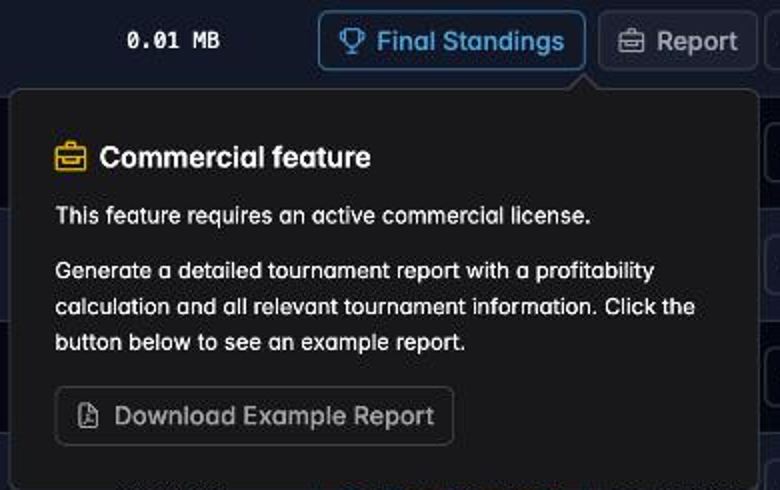
Note the Download Example Report button. You can see exactly what a report contains before deciding whether the feature is worth a licence to you.
What is in it
The report is generated from the tournament's own event log, so it reflects what actually happened rather than what was planned.
Header
Tournament name, location, start and finish times, and total duration.
Financial summary
The money, laid out by category:
| Line | Meaning |
|---|---|
| Entries | Count and price per entry |
| Re-entries | Count and price |
| Rebuys | Count and price |
| Add-ons | Count and price |
| Gross | Everything collected |
| Rake | The fee portion, if you charge one |
| Net to Pool | What actually became prize money |
House earnings summary
This is the section that makes the report worth generating, and it appears when there is something to account for:
- Rake collected — the total fee taken across every entry, re-entry and rebuy
- Guaranteed Pool target and Guaranteed / Overlay cost — if you guaranteed a prize pool and entries fell short, this is what topping it up cost you
- Net P&L — rake collected minus overlay cost. Positive, negative, or Break even
For a club running a guaranteed event, that single line answers the question the committee will ask.
Final standings
Every player with their finishing place, what they paid in, prize won, bounties collected and who eliminated them. Chopped positions are marked, with the chop method recorded — Equal, Chip, ICM or Custom — so a deal is documented rather than merely implied. See Chopping the prize pool.
Prize distribution
The payout structure as it was applied: place, percentage and amount.
Blind structure
Every level with small blind, big blind, ante and duration, breaks included. Useful when somebody asks you to run "the same structure as last time".
Event log
The chronological record — players entering, busting, and the tournament starting and finishing, each stamped with the level it happened on. This is what makes the report auditable rather than merely descriptive. See Tournament events.
An Eliminated By column names who did it on every bust. A tournament run with Track Knockouts off has nothing to put there, so the column is dropped and its width goes to the event description instead.
When you would use one
Settling with a venue. A bar taking a cut, or a club treasurer reconciling the night, wants the financial summary and nothing else. It is on the first page.
Proving the payouts. A player who queries their prize six weeks later is answered by the standings section, which records the deal method as well as the amounts.
Repeating a good structure. The blind structure section is a faithful record of what you actually ran, including any levels you adjusted mid-event.
Running a series. One report per event gives you a comparable set of records — entries, rake, overlay — across a season.
Practical advice
Generate it on the night. The report is built from stored tournament data, so it will still be there next week — but on a Free plan finished tournaments are kept for six months, and memories fade faster than that.
Check the standings before you generate. Anything you correct in the event log is reflected in the report. Fixing a misrecorded knockout afterwards means generating the report again.
Next
- Collecting rake — where the house-earnings figures come from
- Tournament events — the log the report is built on
- Commercial licensing — whether you need a licence