Pre-registering players
Registering twenty people at the door while everyone waits is the least productive part of hosting. Pre-registration moves that work to a quieter moment.
A tournament that is created but not yet started can have its whole field entered in advance — names, payments and seat draw included.
Pre-registration is you typing the field in. A tournament lobby is the other half of the same job: a public link where players sign themselves up and you only approve them. Lobby tournaments use the lobby's own player list instead of this dialog.
Opening pre-registration
Any tournament under Planned has a Preregister button:
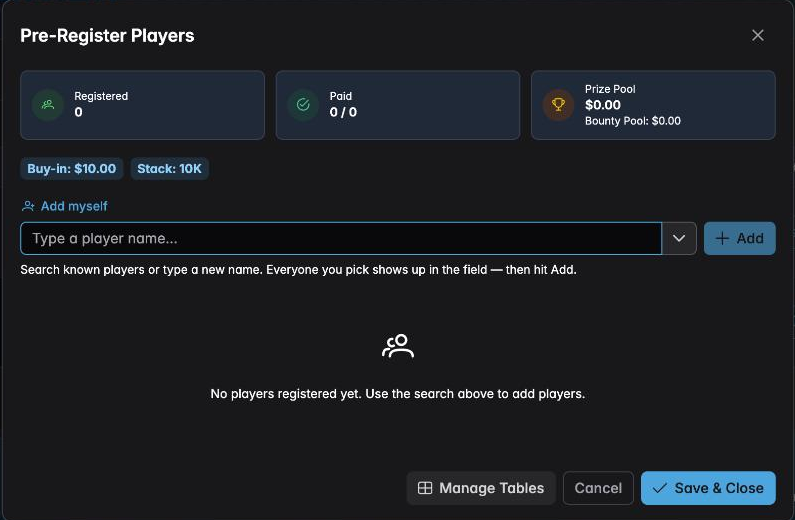
It opens the registration desk:
Three counters across the top — Registered, Paid, Prize Pool — and the buy-in and starting stack shown as chips underneath, so you can confirm you are registering people into the right event.
Adding the field
Type a name into the search box:

Two things happen at once. UHT searches the players you have had before — so regulars are one tap, and spelled the same way every time — and offers Add "…" to create somebody new.
The field takes several people at a time. Pick a player and they become a chip in the box; carry on typing and picking. When everyone you are adding is in the field, press Add.
That is the part worth knowing: for a group arriving together you do not add them one by one, you collect them all and add them in a single action.
Add myself is a shortcut for the organizer who is also playing.
The registered field
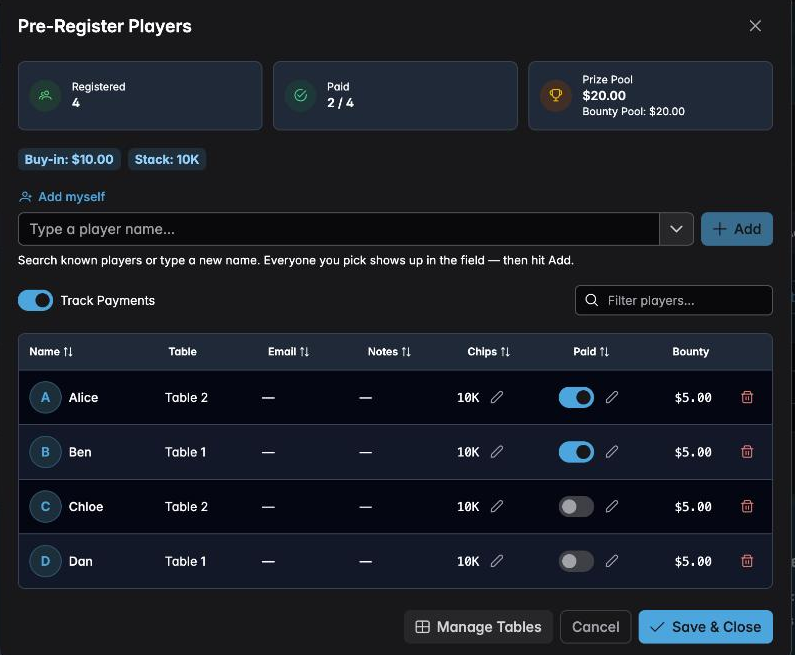
The counters update as you go. Four registrations at $10 produce a $20 prize pool and a $20 bounty pool in this example — half of each buy-in to each, because the configuration splits it that way. See Bounty tournaments.
Each row carries:
- Name
- Table — once tables are enabled
- Email and Notes — optional, and useful for a league where you contact players between events
- Chips — the starting stack, editable per player for a rare case like a satellite seat arriving with a different stack
- Paid — see below
- Bounty — what this player is worth once play begins
Filter players… narrows a long list.
Recording payments
With Track Payments on, each row has a Paid toggle:
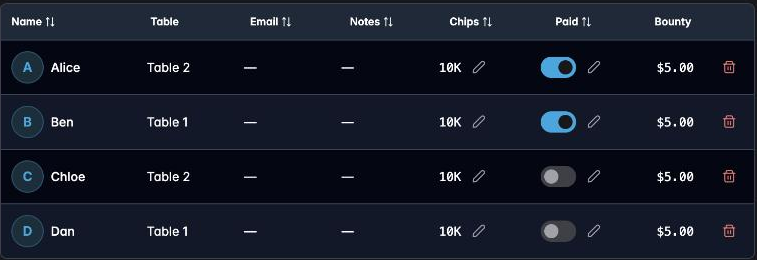
Mark people as their money arrives — a transfer on Tuesday, cash at last week's game — and the Paid counter keeps score. Arriving at the venue knowing you have 2 of 4 settled is considerably better than working it out at the door.
Full detail in Tracking payments.
Seating in advance
Manage Tables at the bottom of the dialog opens the seating manager without leaving pre-registration. Add your tables, press Assign Randomly, and print the seat cards:
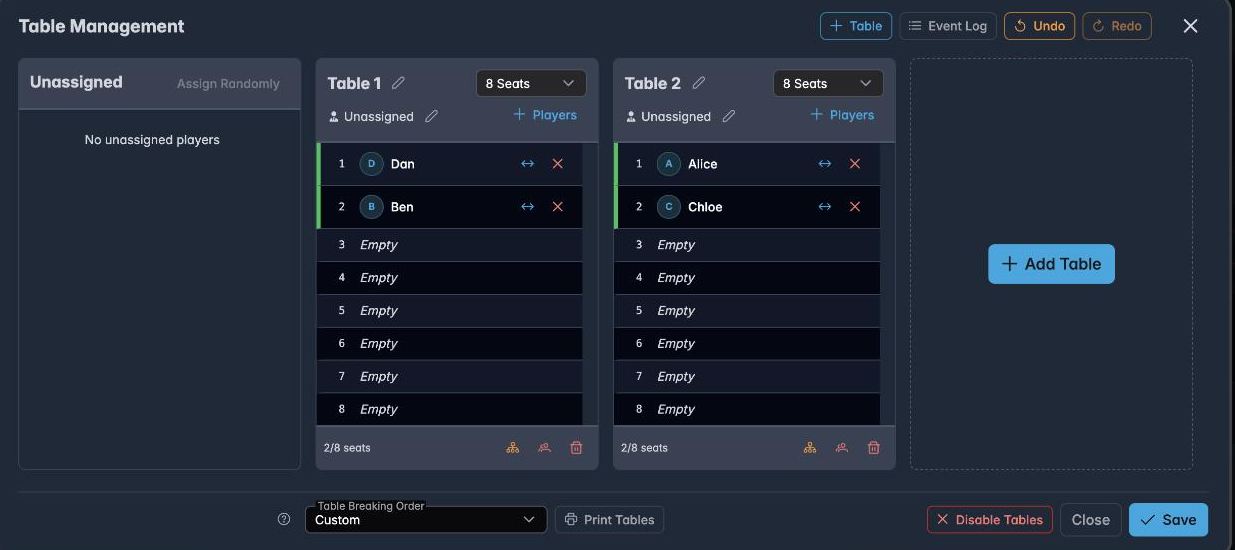
Once seated, the assignment appears as a Table column back in the registration list:
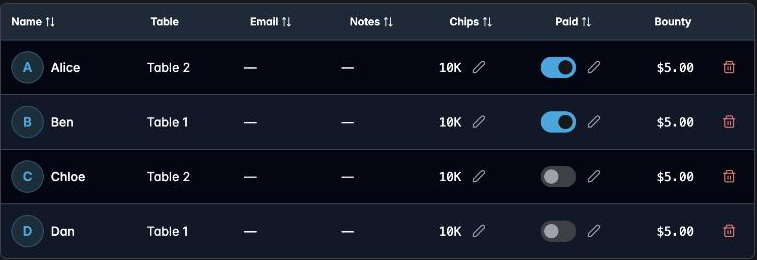
Doing this the day before means you arrive with printed charts and the tournament starts on time.
Saving
Save & Close stores the field against the tournament. Everyone you registered is there when you open the timer, already counted in the prize pool, already seated.
Nothing is locked in — you can reopen pre-registration until the tournament starts, and add latecomers through Add Player once it is running.
Practical advice
Pre-register the regulars, not the maybes. Someone registered is in the prize pool whether they turn up or not. If they do not appear, remove them — but it is less work to add them on the night than to remember to take them out.
Use the notes field for a league. "Owes £10 from March" or "prefers table 2" is information that is otherwise lost between events.
Do the seat draw in advance for anything over two tables. It is the single biggest time saving available, and it is done in a minute with Assign Randomly.
Check the prize pool before you leave. If it does not match your expectation, you have registered somebody twice or missed somebody out — much easier to fix at home.
Next
- Tracking payments — the payment side in full
- Managing tables — seating and printing charts
- Scheduled tournaments — announcing a start time to go with it