Example prompts
You don't need special words. Describe what you want the way you'd tell a friend — in any language — and let your assistant work out the rest.
Three habits make the results noticeably better:
- Mention UHT. "…in UHT" or "…in my UHT account" tells the assistant where to look, instead of writing a file or answering from memory.
- Be specific about what matters to you. Date and time, number of players, buy-in, colors, what must be on the screen. Leave out what you don't care about — the assistant picks sensible defaults.
- Keep going. The first result is a starting point. "Make the timer bigger", "20-minute levels instead", "open 10 more seats" — the assistant changes the same thing in place.
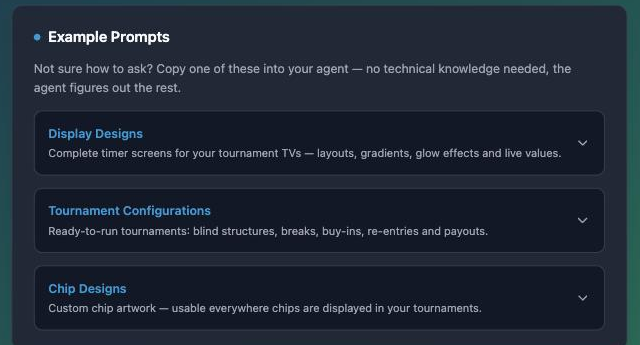
The landing page has starter prompts with a copy button next to each:
Plan a tournament
Plan our Friday freezeout in UHT for 8 pm next week. About 30 players, 20 euro buy-in, 25 000 chips, 20-minute levels starting at 100/200 with a big blind ante, a 15-minute break every 6 levels, and the prize money split 50/30/20 between the top three.
Start from something you already have:
Copy last Friday's UHT tournament for next Friday at the same time, same structure.
Plan a tournament in UHT for Saturday at 7 pm using my saved configuration "Sunday Deepstack", and show it on my display "Club Night".
The assistant can change a planned tournament until it starts:
Move my UHT tournament "Friday Freezeout" to 8:30 pm and make the levels 25 minutes.
Say the time the way you'd say it to your players ("8 pm"). If the assistant isn't sure about your time zone it will ask — answer it once and it remembers for the conversation.
Open the registration
Open the registration for my next UHT tournament. Up to 40 players, and let people sign up from tomorrow at noon.
How many players have registered for "Friday Freezeout" in UHT so far?
The registration page is the same tournament lobby you'd open in the app — the assistant gives you its link to share with your players.
Clubs and leagues
Show me the top 10 of our UHT club's winter league.
Compare me with Jonas in our UHT league. Who's playing better this season?
When is the next game of our league in UHT, and which tournaments are coming up in the club?
Summarize last Friday's club tournament in UHT: who made the final table and who won?
If you are a club director, two more things work:
Put our tournament "Friday Freezeout" in UHT into the Winter League.
Invite tom@example.com and sara@example.com to my poker club in UHT.
The invitations are real emails and stay valid for 30 days — the same as inviting from your club page in the app.
Displays
Create a new display in my UHT account called "Midnight Neon": a dark 4K look with a huge timer in the middle and a cyan glow, the current blinds right below it, a slim bar with the next blinds and the time to the next break, the tournament name at the top, and the prize pool and players left at the bottom. Also add a break screen with its own background and a big countdown.
Take my display "Club Night" in UHT and make a version with green felt colors and a bounty leaderboard on the right.
Put my club logo from https://… into the top left corner of my newest UHT display.
The display appears under Display Designer, where you can preview it with a running tournament and fine-tune anything by hand — see the designer section.
Chips
Design a chip set for my UHT account called "Royal Ceramic": elegant ceramic casino chips with a classic edge-spot pattern, in all nine chip colors.
A chip design is artwork, so this needs an assistant that can create pictures (or one you give a photo to). Assistants without pictures can still read and rearrange chip designs. How the nine colors are used in a tournament is covered in Import your chips.
Your library and players
List my saved blind structures in UHT and tell me which one plays fastest.
Save a blind structure in UHT called "Turbo 10" with 10-minute levels for 20 000 chips.
Add Anna, Ben and Chris to my UHT player list.
Your stats and account
How did I do in my UHT tournaments this year? Best finish, how often I cashed, and my results over time.
How full is my UHT account storage, and what are my largest saved items?
Things the assistant will say no to
So you aren't surprised: an assistant can't delete anything, can't change a tournament that is already running (clock, players, payouts) and can't cancel a registration page. Those stay in your hands, in the app. More in What your assistant can not do.
Not connected yet? Connect your assistant takes about a minute.