Managing tables
Once a tournament outgrows a single table you need to decide who sits where, keep the tables balanced as players bust, and tell everyone which seat is theirs. UHT handles all three.
Tables are optional. A single-table game does not need them, and turning them on adds a layer you would only be maintaining for its own sake.
Turning tables on
Open Tables from the tournament controls (or Manage Tables during pre-registration). The first time, UHT explains what it is offering:
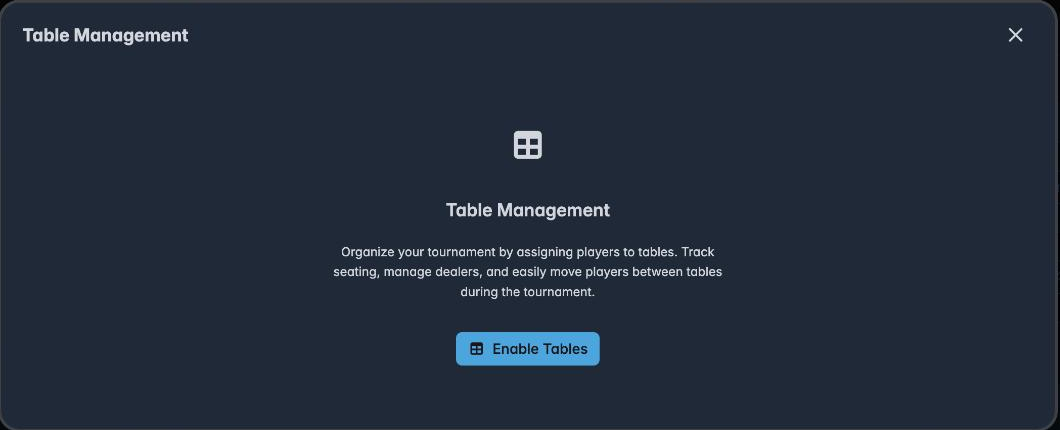
Organize your tournament by assigning players to tables. Track seating, manage dealers, and easily move players between tables during the tournament.
Press Enable Tables.
The seating manager
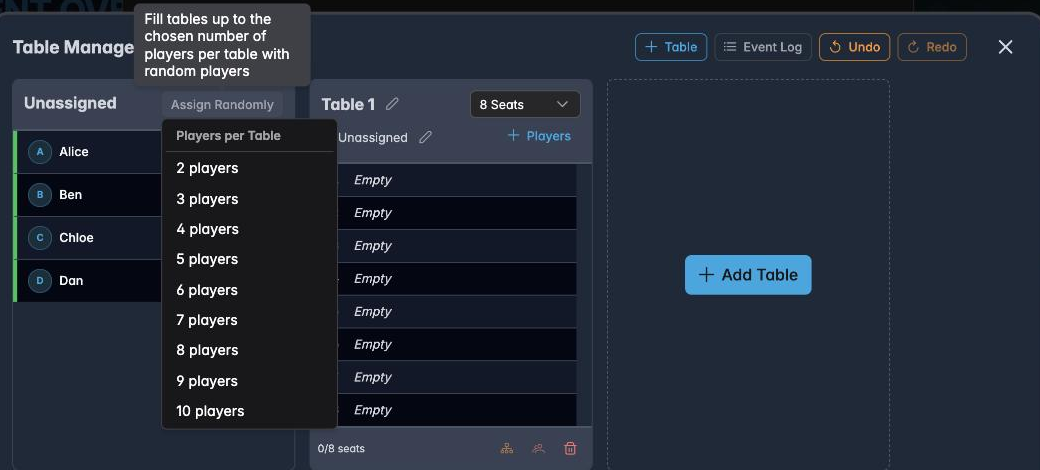
The layout is deliberately simple: everyone not yet seated is on the left, the tables are on the right.
Along the top: + Table adds a table, Event Log shows the seating history, and Undo / Redo reverse anything you do here. Along the bottom: the Table Breaking Order, Print Tables, and Disable Tables if you change your mind.
Adding tables
Add Table creates one. Each table has:
- A name — "Table 1" by default; the pencil renames it. Real names help ("Bar", "Back room") when the room is not laid out in numerical order.
- A seat count — 2 to 10 seats, chosen from the dropdown. Set this to the physical table.
- A dealer — the field marked Unassigned under the name. If you have dedicated dealers, record who is on which table.
Seating players
Randomly, all at once
Assign Randomly is the fastest route. It asks how many players per table:
Fill tables up to the chosen number of players per table with random players. Pick a number and UHT deals everyone out.
For a 20-player, 2-table game you would add two tables and choose 10. For an unknown turnout, seat as people arrive instead.
One at a time
Each unassigned player has two controls: a dice icon (assign at random) and an arrow (choose a table). The arrow opens a menu listing every table with its free seats:
Assign at random table Table 1 (8 free)
Use this when seating matters — keeping a couple apart, putting the slow player where you can see them.
Moving players later
A seated player's row has a ↔ to move them to another table and an ✕ to unseat them. This is what you use when the tournament breaks a table and its players need redistributing.
A seated tournament
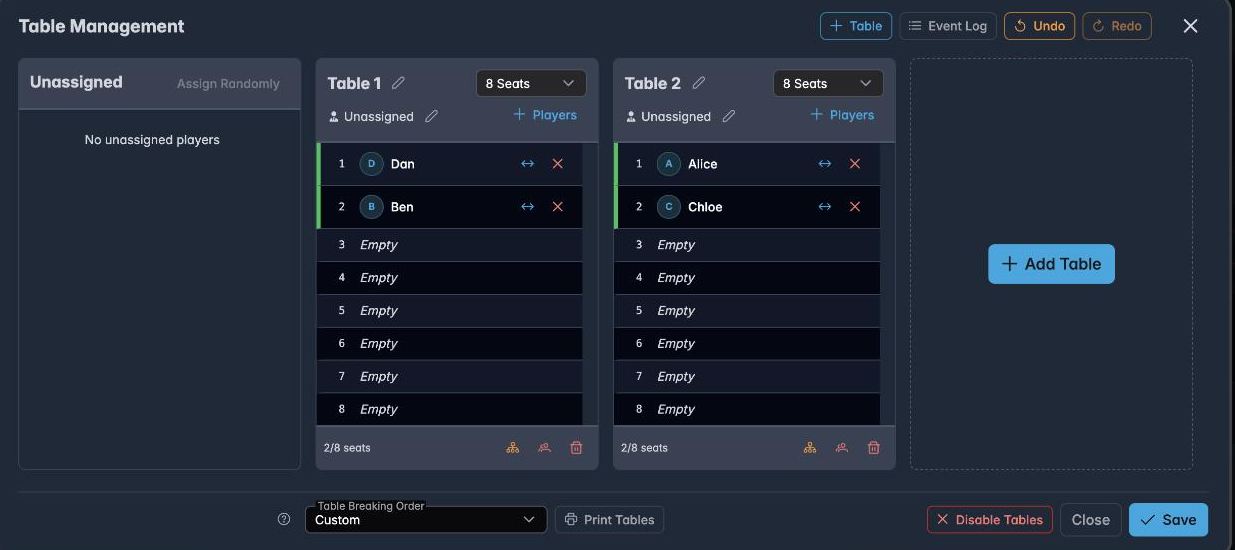
Each table shows its seats numbered, who is in them, and a 2/8 seats counter. The unassigned panel confirms No unassigned players — which is the state you want before starting.
Table breaking order
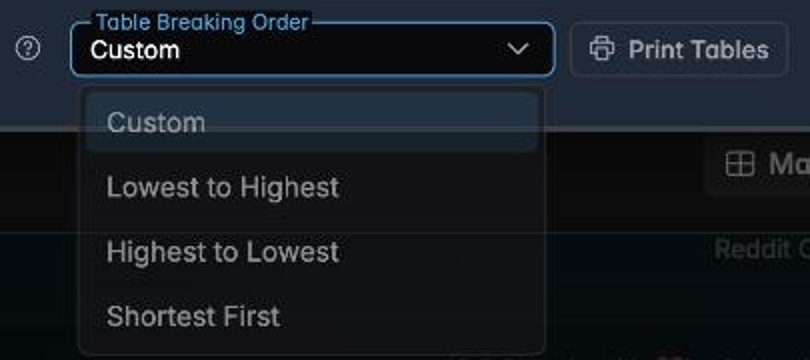
As players bust, tables empty unevenly and eventually one has to be broken up. This setting decides which one goes first:
- Custom — you decide each time.
- Lowest to Highest — break Table 1 first, then Table 2. Predictable, and sensible when your tables are numbered by how far they are from the bar.
- Highest to Lowest — break the last table first. Useful when Table 1 is your feature table and you want it to survive.
- Shortest First — break whichever table has fewest players. The most efficient choice, and the usual default for a serious game.
Printing seat cards
Print Tables produces a seating chart per table:
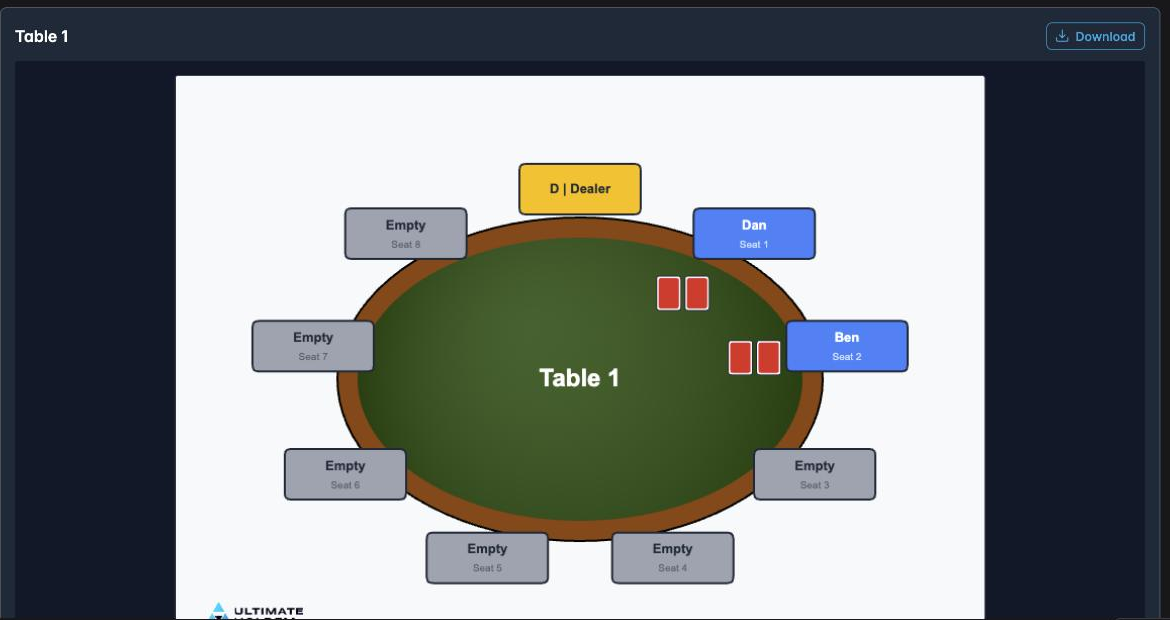
A proper table layout — dealer button, every seat numbered, names in the occupied ones and Empty in the rest. Download saves it.
Two ways this earns its place: printed and laid on each table, it answers "where do I sit?" before anyone asks you; and it is a record of the starting seat draw if a question comes up later.
How tables change player management
Turning tables on changes the Players dialog. Instead of one flat list, players are grouped by table:
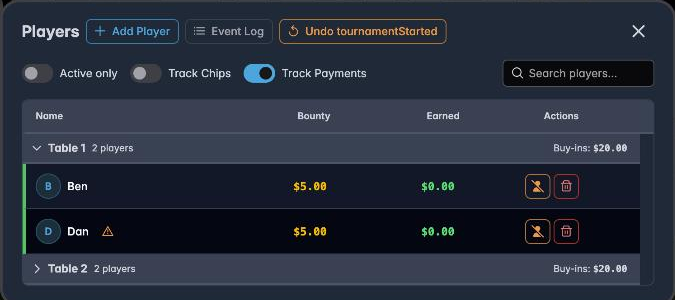
Each group collapses, and carries its own player count and buy-in total. During play this is how you see at a glance that Table 1 is down to three players while Table 2 still has seven — which is your cue to balance them.
The table assignment also appears as a column in pre-registration:
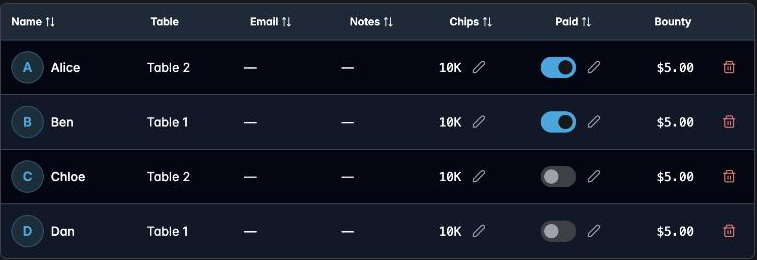
Seating before the tournament starts
You do not have to wait until the night. Manage Tables is available from the pre-registration dialog, so you can arrive with the seat draw already done and the cards printed.
If the tournament has a public registration lobby, seating it there does one more thing: the lobby grows a Tables tab and shows every confirmed player their table and seat on their own phone, updating live as you move people around. See The seating chart.
Practical advice
Set the seat count honestly. UHT will happily seat ten players at a table you have set to ten seats. If the physical table takes eight, say eight.
Use Shortest First unless you have a reason not to. It keeps tables balanced with the least intervention.
Print the charts if you have more than two tables. The time saved at the start outweighs the printing, and it removes an entire category of argument.
Undo is there. Seating is easy to get wrong when people are talking at you, and Undo at the top reverses it.
Next
- Managing players — the day-to-day player actions
- Pre-registering players — seating in advance
- Display designer — putting table information on screen