Display QR code
The QR Code component puts a scannable link to your tournament display on the display itself. Point a phone at the screen and the clock opens on that phone.
It solves a specific, common problem: at any tournament larger than one table, somebody cannot see the main screen.
What it looks like
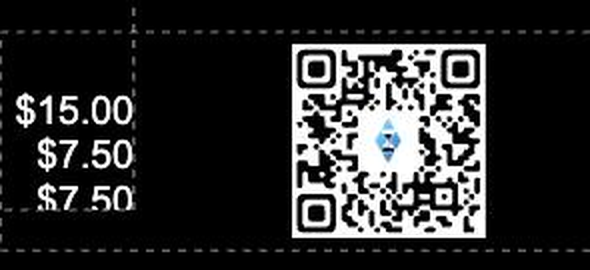
The code is generated live from the tournament's own display link, with the UHT mark in the centre so it is recognisable as a poker clock rather than an unexplained square.
Adding it to a design
The QR code is a display designer component. Drag QR Code onto the canvas from the components list and position it like anything else.
Where to put it:
- A corner is the usual choice. It is a utility, not the main event.
- Large enough to scan from where people sit. A code that needs somebody to walk up to the television has not saved anybody anything. On a 50-inch screen across a room, aim for roughly a tenth of the screen width.
- On a plain background. Codes scan badly over a photograph. Put a light panel behind it — a Shape component does this in seconds.
You can also give it a display condition so it only appears during registration and disappears once play is under way.
It needs multi monitoring
The QR code encodes the multi-monitor display link. Without multi monitoring enabled for the tournament there is no link to encode, and the component has nothing to show.
Enable it first — see Multi monitoring — and the code appears.
What people get when they scan
They get the display link, not the controller. That is the important part: a scanned code gives read-only access to the clock. Players can watch the blinds, the timer and the prize pool; they cannot bust anybody, change a level, or touch the tournament.
Every scan counts as a connected device against your plan's limit — 2 on Free, 5 on Supporter, unlimited on Commercial. On a Free plan the QR code is of limited use, since two players scanning it uses your allowance. It comes into its own on a Commercial licence at a large event.
When to use it
A multi-table game with one screen. The far table cannot read the blinds. A scan puts them on every phone at that table.
A venue with pillars. Every room has seats where the screen is not visible.
Outdoor or garden games. One screen, awkward sightlines, bright sun.
Players who want the clock on the table. Some prefer their own phone to squinting across a room, and it costs you nothing to allow it.
When not to use it
A single-table home game. Everyone can see the screen; the code is clutter.
On a Free plan with more than two people likely to scan. You will hit the device limit, and the slots are better spent on actual screens.
When you want people looking up. There is an argument that a poker clock on every phone encourages people to look at phones. Some hosts deliberately leave it off.
An alternative: send the link
If you only need one or two extra screens, the display link can simply be messaged to the people who need it. Multi Monitor on the tournament gives you the link and its own QR code to scan directly from your phone — see Multi monitoring.
The component is for the case where you do not know in advance who will want it.
Next
- Multi monitoring — the links the code is built from
- Components — the rest of what a display can show
- Display conditions — showing the code only during registration