Display conditions — showing things only sometimes
A display condition hides a component unless something is true. This is how you make a display that reacts to the tournament instead of showing everything at once.
Select a component and press Display Condition:
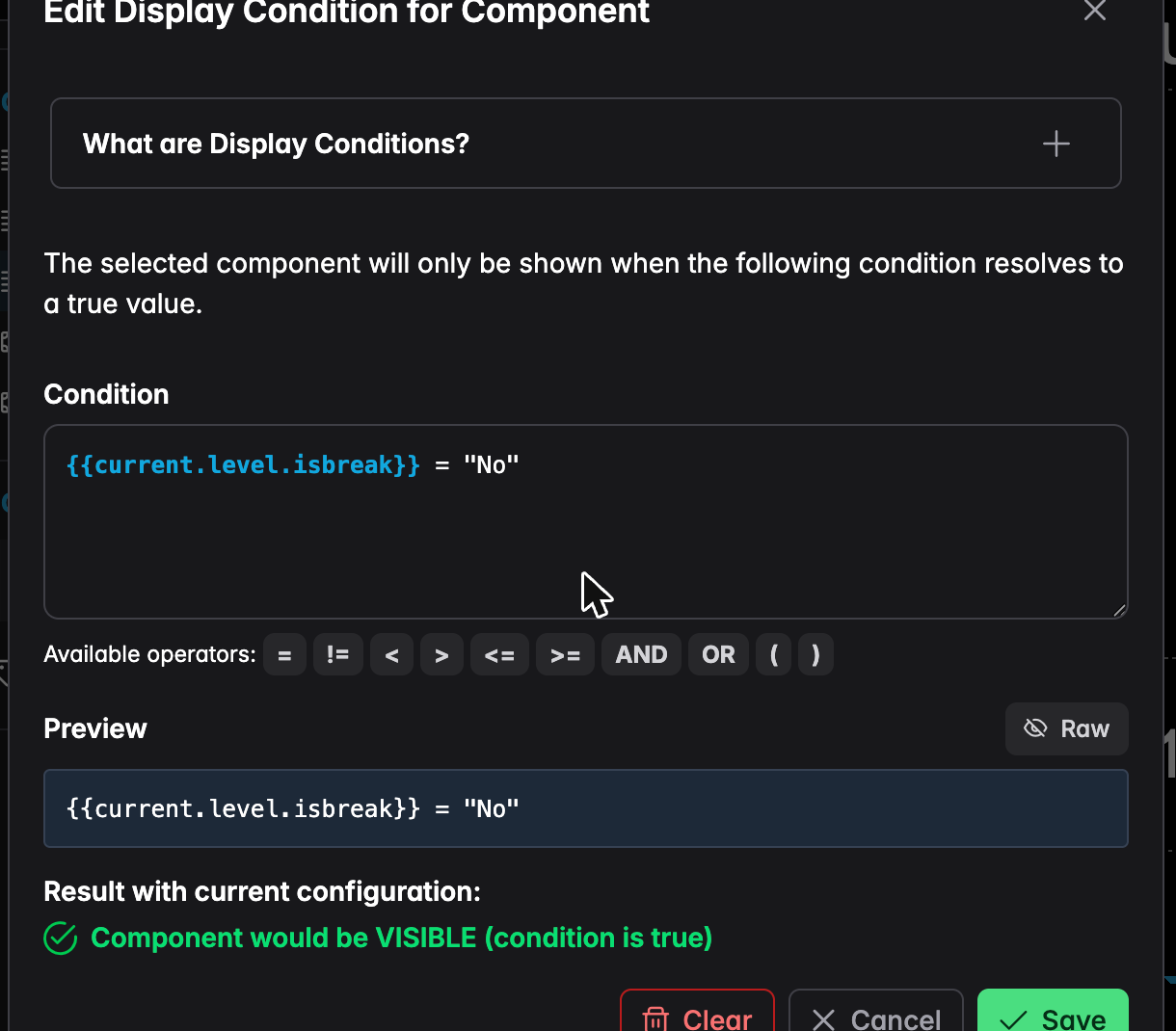
Type a condition using placeholders and the operators shown. The Preview underneath tells you whether the component would currently be visible, so you can check your logic without starting a tournament.
Practical examples:
| Condition | Effect |
|---|---|
{{current.level.isbreak}} = "Yes" | Only during breaks |
{{current.level.isbreak}} = "No" | Hide during breaks |
{{tournament.paused}} = "Yes" | A "PAUSED" banner |
{{players.left}} <= 9 | Only at the final table |
{{reentry.closed}} = "No" | A late-registration notice |
You can combine them with AND and OR.